
I was exploring how to display a USD model in a web browser. A few people had asked about streaming Omniverse output into a browser window, so I was curious to see what tools or approaches are possible.
TL;DR: There is a WebAssembly port of the Pixar OpenUSD libraries, but it is large and the GitHub repository seems untouched for a while. Some discussion threads suggest “USD is good for production pipelines, use glTF for rendering in browsers”.
What is USD / OpenUSD?

OpenUSD is a software platform for collaboratively constructing animated 3D scenes. It originally came from Pixar, developed to help them create movies more efficiently. It is a rich and complex format. While originally called USD (Universal Scene Description), more recently the code is being referred to as OpenUSD, which I suspect helps with Google searches (as USD also stands for US Dollars).
My personal experience with USD started from exploring NVIDIA Omniverse, which uses USD as it’s native file format. It is becoming more widely supported by various animation software tools including Blender, Maya, Reallusion Character Creator, Unreal Engine, Unity, and more.
What is USDZ from Apple?
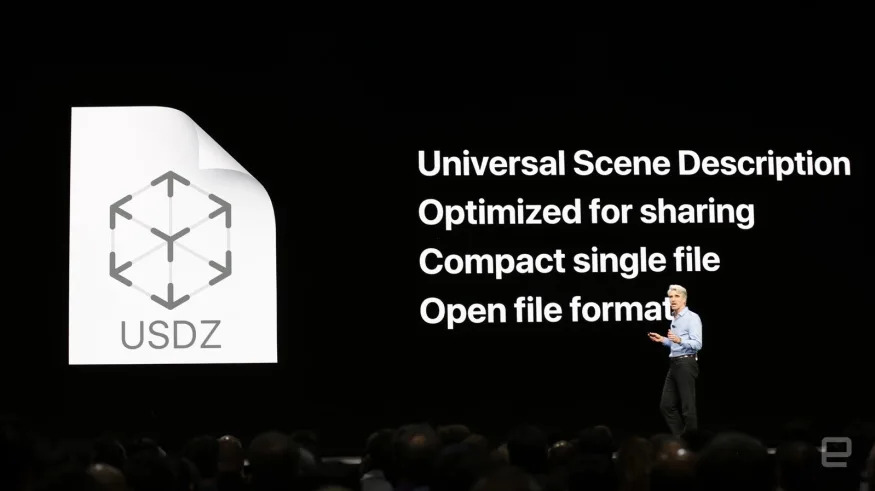
USDZ is a ZIP file with no encryption or compression that holds a set of files (such as USD model file and all the texture PNG files referenced by the USD file). This allows a model to be downloaded as a single file. Apple is using USD for its AR experiences and tools.
What is glTF?

glTF is a standard file format for 3D scenes and models. Files can have file extensions of .gltf (JSON/ASCII) or .glb (binary). Projects such as three.js can import glTF files directly and render them in a web browser.
Three.js and USD

Three.js is one of the major JavaScript libraries for rending and animating 3D content in a web browser. When Apple first announce USDZ as their planned format for AR experiences, there was a bit of noise about whether Three.js would support USD or USDZ natively. This thread is particularly interesting.
My summary is that there have been some efforts to import USD into Three.js, but there is a bigger question of whether it is the right approach. Some people expressed the opinion that USD might be a good format for production pipelines, but is not necessarily the best format for 3D delivery on the web. So why did Apple decide upon USDZ? Some speculate that it is because it is not an open web format, allowing Apple to redirect users out of a web browser and into a separate app. (While Apple have supported the Safari web browser for years, there are some who believe Apple purposely restricts web browsers on their devices, limiting their capabilities, as they would like users to use apps more than web browsers.) You can form your own opinion here, it does not really impact what is and is not possible from a technical perspective.
Native USD Support in a Browser via WebAssembly

One interesting project was open sourced by Autodesk (GitHub). They converted the Pixar OpenUSD C++ libraries into WebAssembly. WebAssembly allows multiple programming languages (such as C++) to be compiled down to a portable format that many web browsers can then execute. There were some technical challenges in this project, but they did succeed in the port.
This project however seems to be dormant – the last commit was in March 2022 and the project is now 1894 commits behind the main OpenUSD project. The Academy Software Foundation working group on USD Web Visualization) had meeting notes in November 2022, but the meeting notes are very sparse (a few lines).
I believe that while the code did work, the fact that the WebAssembly is so large is problematic. (Support in Three.js was requested, some projects were created, but I don’t think are being pursued further.) The Three.js project instead added a USDZExporter, but I believe is not working on importing USD(Z) files natively. They are remaining with glTF instead.
USD to/from glTF Converters
So the state of the art with using USD in a web browser seems to be to convert USD files to glTF files that Three.js can load. These two formats are not perfectly aligned, so some data can be lost during the transition. (My personal experience in converting glTF files to USD using a range of tools, including Omniverse, lost details such as blend shapes. I am sure the tools will improve over time.)
The USD_from_glTF utility is written in C++ and can be used to convert a glTF file into USD.
Another interesting project is tinyusdz, a smaller C++ library to read USDZ files given their simpler nature. It does not need the full OpenUSD library available.
Omniverse has a few useful tools as well. It has a built in USDZ exporter extension, you can right click on a .glb file in the content browser and bring up a “convert to USD” menu item, and this thread from 2021 indicates you can export a glTF file from Omniverse but only a subset of materials are supported.
Conclusions
My personal interest is in characters and animation, with locations and props. I have not found what I would consider a robust solution for rendering USD directly in a web browser. Maybe it’s possible to stream the screen of an instance of Omniverse USD Creator running on a cloud instance into a browser window (much like streaming a YouTube video). But this does not sound ideal to me (or at least would require a fair bit of CPU).
Three.js provides a rendering solution for 3D assets in a web browser, but does not support USD directly.
So the best approach today seems to be to try and restrict your project to features in both glTF and USD and then convert from one format to the other. Both formats, for example, support skeleton animation and blendshapes, two important features for 3D character animation.
Do you know of other technologies or solutions here? Please leave a comment!
Feedback
Update: PekkaVaris from Omniverse discord server pointed out CloudXR might be a future path:
- https://developer.nvidia.com/blog/building-xr-applications-on-pc-for-high-quality-graphics/
- https://www.nvidia.com/en-us/design-visualization/solutions/cloud-xr/
Update: Nandu Vellal shared an interesting online USD editor https://usd-playground.netlify.app/ that looks quite interesting.
Update: Ben Skinner shared https://github.com/mikelyndon/usd2gltf, a tool for converting USD files to glTF.
 Extra Ordinary, the Series