
How to create movies or series with AI generated video? The AI tools are emerging at a rapid rate. The following is my current overall plan to leverage open source tools on my desktop.
I should say up front it may be more sensible to use services. It can remove a lot of overheads to install software, find the right models to download, etc. You do have to pay, but it costs time and effort to run it all locally. Runway Act Two for example looks really impressive! I am doing this partly out of a desire to learn the tools and have full control. I may end up using cloud based tools in the end myself.
Goals
First, what are the features that matter to me. These are based on my multiple years of using 3D rendering platforms and trying to build my own solution in three.js.
- For the lead and supporting actors, I want high consistency (to avoid re-rending overheads until it works) from many angles. More setup time is fine to achieve great results.
- For extras or background characters, I would prefer it to be quick to create new characters without too much overhead. E.g. a storekeeper I might buy something from once and never see them again. Can I do this faster?
- I want very stable background images across shots. If the camera moves between two characters as they talk, the background must be consistent.
- I want background lighting to reflect onto the characters. A morning shot with sunlight from the left should be on the characters as well.
- I would like to block out scenes with characters from text.
- I want different shot distances. Wide sweeping establishment shots (frequently with panning and zooming). Most shots however will be full body shots, upper body shots, head shots, or extreme closeups. I would like to mix them as needed, with consistent characters and backgrounds. I would also like some cinematic camera movements, but it does not have to be every shot.
- I would like to have the option of audio to facial expressions (with lip sync) or record my face as I talk and use those movements with a voice changer for different characters. I want a one-man show, so AI based text to speech or voice changes are needed rather than relying on multiple human voice actors.
- Merge all of the above. I still need to work out how to allow characters to interact with objects in the scene, or have some things in front of them and some behind. How to have a character sitting behind a table, leaning on the table?
- Fast previews or storyboarding, with slow final renders. I want to review scenes end to end before committing to a lengthy final render.
Here are my current technology choices for the above problems, based on reading an experimentation so far. (In future blogs I plan to dig into the different phases one by one.) All of this is subject to change as I learn more an new technologies emerge, but it gives me a personal plan to decide which areas to explore first. (I like going first after the areas of greatest unknown as they are most likely to cause a project to fail.)
High Consistency Characters
I am using ComfyUI. The most common way to create consistent characters is to train a Lora per important character. This is a model that is able to generate an image of your character from multiple angles and expressions with good consistency. For my workflow I plan to:
- Use SDXL, Flux, or similar models to generate character’s face. I just need a 2D image.
- Use generative models to expand this to a full body – the character with a set of clothes.
- Use ComfyUI nodes like Expression Editor (PHM) and Wan 2.1 to generate images of characters from multiple angles. Generate lots, then manually pick 10 to 20 accurate images in a range of poses.
- Note that starting from a 2D image also means you can also choose the path of drawing your own character if you feel it unethical to use models trained on the work of artists. Start from a hand drawn character sheet instead.
- Train a Lora model from those images. The model name will be character name plus clothes, such as JaneWearingSunflowersDress. Unique keywords like this I believe will help it decide the Lora to use when multiple characters are in a scene.
- Wan 2.1 is my current model of choice for animating the characters, and it supports Loras.
Note: Sometimes I have got good results with Wan 2.1 without using a Lora, but I have also had long renders (2 hours) be rejects because of character inconsistency. So I plan to use Loras regardless.
Bit Part Characters
Loras take a fair bit of time to create. I don’t mind that for main characters, but for infrequent characters I am more willing to render a few times for consistency (or take other shortcuts) rather than invest the time to create a Lora. For example, if it’s okay to have a character who only ever looks in one direction, creating a Lora may be unnecessary.
- Generate a 2D image of extras, the same as the important actors above.
- Use IPAdaptor instead of Loras in the pipeline. IPAdaptor can work when the character does not need to turn their head. So no need to generate lots of images and train a Lora model from them.
- Wan 2.1 can handle these characters fine as well.
Stable Background Images
From my investigations so far, the most reliable way to get stable background images is to use a static image layered behind the character. Don’t AI generate the character and background at the same time. Animate the character on a green background or similar and mask it out. Then superimpose the output of animations onto the background. This seems to be the most robust approach today.
My plans are:
- Use SDXL, Flux, Wan 2.1, etc models to generate background images.
- Also use Unity, Unreal Engine, Blender etc to create background scenes using 3D models. These images have the benefit that I can take multiple overlapping background images from different camera angles and positions in a room and have them all come out consistent.
- Explore applying AI filters to make different images look more consistent in style. Images from different tools will look different. Loras I believe can also be used to transfer style for images, so it may be an option to train Loras to tune background images so they look more consistent.
- Explore if real world photos can be a good source for background images as well, using the AI filters above. Nothing like real nature to create beautiful scenes to leverage.
- Explore upscaling – I would like very wide images (to allow camera panning) with high resolution (to allow camera zoom in and closeups), so I want to learn how to upscale background images when needed.
Consistent Scene and Character Lighting
One of the problems with animating characters separately then superimposing them onto a background image later is how to get scene lighting consistent. Morning (sunlight from the side), noon (sunlight from above), and night (moonlight only) should make characters look differently. How to get them looking consistent? How to get the flickering light from a fire shining onto characters?
This area I have not done any experimentation with yet, but avenues to explore include:
- IPAdatper (Reference Only) is a node that appears to be able to extract lighting, tone, and color balance from a background so that it can then be fed into Wan 2.1 during character rendering. That is, style/lighting transfer, not content transfer.
- Some ControlNet variations appear to support Depth and Illumination controls. However they seem to do so at the risk of character consistency, so again a fallback.
- Avoid sunlight! Lol! Just use flat lighting for day and night to avoid shadows. Then just play with the brightness of the different layers. I don’t like this much – it feels like a cop out, but it’s useful as a fallback plan.
Blocking Scenes (Character Placement)
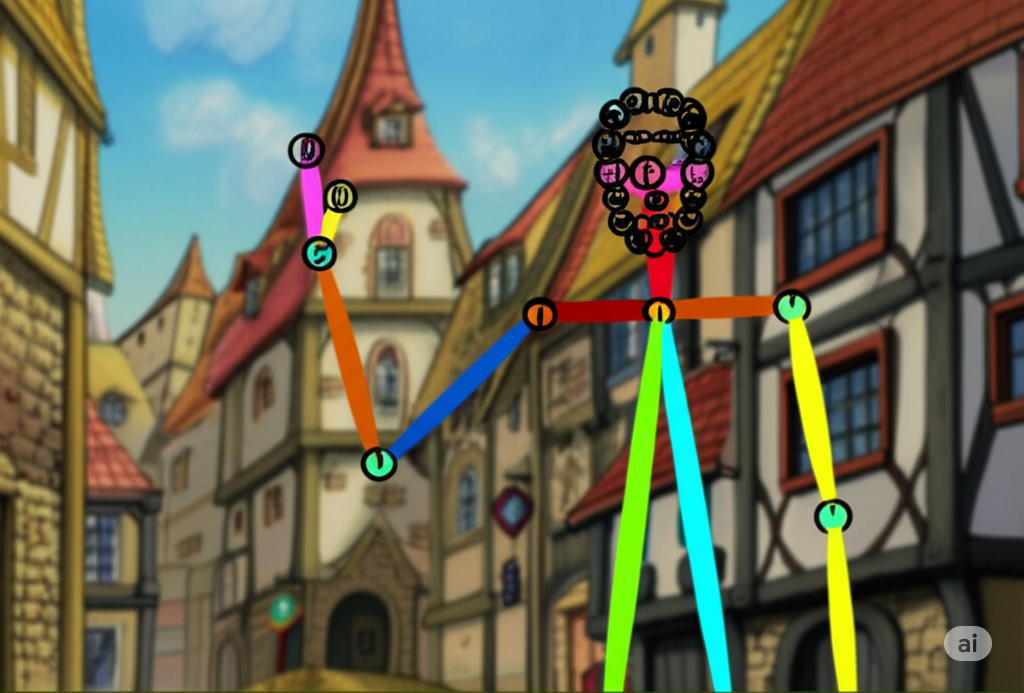
Ideally I want to drive the full process from a screenplay. “John and Jane are sitting around a campfire talking at night.” Unfortunately, it seems like generative AI is not very good at this yet. OpenPose for example does seem useful to guide models where to place characters in a scene, but where to get the pose data from? The following is my planned exploration in this area.
- Use OpenPose character positionings, per character, to render individual or pairs of characters into a layer. My understanding is the more characters present, the less reliable AI becomes. Having two characters in the same layer is however valuable as they can interact – hold hands, pass an object between them, etc. The challenge then becomes how to generate the OpenPose images.
- This also overlaps with character animation control. Do I want to only specify the starting point for a scene, or control the character positions through the scene? For example, Wan 2.1 multi-talk is a model that can do a great job of two characters talking to each other in the one shot, interacting with each other. I need to explore its capabilities: can I give it a starting position for the characters? Can I combine how it wants to move the characters with other acting (like walking).
- MotionDiff is another technology I want to explore. It can be used to generate OpenPose animation sequences, which are then used to generation motion instructions.
- There is also AnimateDiff.
- But I suspect I may also want to use external tools, such as Blender, Unity, Unreal Engine etc, or even a custom three.js site I build myself. I need to be able to position characters in 3D space and maintain their consistency across shots as they move around a scene, AND as the camera moves. Camera movements also need the background image plate to move and zoom for example. It feels like maintaining a 3D model of a scene may be necessary for the best results to reduce manual effort.
This is one of the areas I worry about the most. I don’t feel I have a great solution yet that weaves everything together into a reliable approach.
Camera Positioning and Cinematic Movements
Camera positioning or framing of shots is very important. There are rules about balance for shots such as the rule of thirds. This overlaps with the previous section on the positioning of characters, you also need to worry about the position of the camera relative to the characters, especially as you cut between shots. For example, to add interest to a scene with dialog between two characters, you may change from a wide shot including the full body of two characters, also introducing the location they are at. Then cut into an upper body shot or head shot of individual characters as they talk, switching between the two characters. Then you may have the occasionally extreme closeup to reveal some tell-tale facial micro-expression (the glance of the eyes, the twitch of the lips, etc). This involves 3D space similar to the previous section on character blocking.
There are also dynamic camera movements. You do not want to overuse camera movements, but they are a great tool for particular scenes. For example, establishing shots often include camera movements to share a feeling of space. Or tracking shots may have a camera follow a character as they move through a scene. This becomes more complex if scenes use static backgrounds.
- Blocking (previous section) and camera placement and distance are highly related. Zooming in may be as simple as zooming the character layers and backgrounds at slightly different speeds for a feeling of parallax.
- Explore for dynamic camera movements AI technologies for specific shots. For example, tracking a character from behind walking down a street. It may be hard to achieve this consistency with static background images, but some scenes might not need the consistency. Let AI do its thing for such shots.
- Another approach is to use a 3D rendering platform (like Blender) to generate a background video that moves, where the output can then be fed into nodes like Canny (edge detection) and Depth Maps to influence background creation. For example, a scene with buildings could be blocked out with cubes – AI is then responsible for rendering onto those cubes instead of generating a complete scene in 3D tools.
Facial Expressions and Lip Sync
There are facial expressions, lip sync for voice tracks, and body movements. How to get them all combined? Wan 2.1 VACE with multi-talk shows a lot of promise here. Testing is still required to work out how much control we have. Also related is how to create audio tracks.
- Explore FacePose which focuses on the face. Can a scene animate between expressions? Go from surprised to laughing?
- How can expressions be combined with lip sync. Apply an expression to the character image as the starting point, then feed that into Wan 2.1 (with Lora)?
- Wan 2.1 VACE Multi-talk looks pretty amazing from the demos. I need to give this a try.
- Explore how well audio to animation works. Does it pick up emotions at all? Can ElevenLabs with emotional control be used to generate audio clips, then fed in to animate a scene?
- Explore how well video to animation works. Can a video recording of a face talking (where the audio is fed into ElevenLabs or similar voice changing software) be used to generate FacePose data, then merged with other character movements (OpenPose) to generate a realistic final scene? What is possible, where are the limits? The advantage of this approach is it allows true voice acting, not relying on software to deliver the desired emotional depth. Another advantage can be it may be easier to replace.
- Using Open Source has the benefit of I control when the technology is updated or changed. Third party services can go away, so relying on them for a particular voice can be risky for a long term service. Using an open source voice changer may be another path to explore. It may deliver lower quality, but greater control (and less cost).
Composing the Final Video
It is not yet clear to me whether it is best to compose the layers (backgrounds and character animations) inside AI or as layers in video editing software. Using video editing software allows final tweaks of layers – moving and scaling each character individually for the best final result. Using AI to merge layers may provide opportunities to improve the consistency of the layers into the final result.
- Explore CompfyUI nodes to compose layers and then apply final filters to color balance across the layers.
- Explore approaches to add layers in front of characters as well. Can the characters walk behind other objects in the scene? Should backgrounds really be a series of layers, at different camera distances, so characters can be at different depths?
- Are there any clever approaches (e.g. using depth maps) to automatically mask characters animated separately so they can step out from behind a tree and then walk in front of it.
- How to have a character move, sitting at a desk (the body is partially behind the object, partially in front of the object for their arms and hands on the desk). How to ensure the desk is consistent across shots and consistent in 3D space? Another example, a character sitting inside a car driving. How to show their hands on the steering wheel.
- Instead of having a static background, can a video of a background (taking into account camera movements) be fed directly into Wan 2.1 for a background, allowing it to animate characters on top following OpenPose and FacePose data?
- The fallback plan is to use Video Editing software such as After Effects to do its magic here and limiting movements. E.g. require all characters to not move while talking, at least initially.
Storyboarding and Fast Previews
It is very useful to be able to have storyboards and rough animatic previews of a scene before a slow final render.
- 3D scene blocking above with static background images may provide a quick approach for storyboards.
- Superimposing OpenPose details may be enough to give a “feel” for a scene with minimal delay. You see the background image with skeletons of characters superimposed.
- Storyboarding might be real renders, but of a single first frame of a scene.
- The audio track could be used behind the single frame to give a sense of pacing of a scene.
- There may also be crude versions of animating that are faster but less accurate.
- Using a lower framerate and resolution can also improve rendering speed, but I worry about generating an approximate render, loving it, then the final render coming out different.
Conclusions
Obviously the above is a lot to explore. The positive aspect for myself however is that it all seems doable, with different limitations. And the technology is constantly improving. The above plan is to help myself break the problem into individual areas to explore. I expect some details to change as I learn more about the limitations of different technologies.
It feels like Wan 2.1 can do a lot of what I need, but I need to understand how to use it in different ways. How to combine background scenes as references, efficiently block out and pose characters in scenes, control the characters (or not) from different sources, get fast prerenders, then queue up full renders per shot.
The biggest area of unknown for myself is character positioning, acting, and general 3D scene management. How to get a scene with multiple camera shots consistent. But since I am still learning ComfyUI, I might start with some simpler problems like how to create a Lora for a few characters.
But I will be the first to admit, if an existing cloud service provides all the tools you need for the type of videos you want to create, they can save you a LOT of effort, disk space (I downloaded another directory full of 29GB models today for Wan 2.1), and compute.
Fun times!
PS: Interesting in my ComfyUI posts on specific topics as I break down the above? Check my category tag of ComfyUI!
 Extra Ordinary, the Series