
I am interested in ComfyUI for creating films where you have a scene with multiple shots at the same location, from different angles. An example can be seen in one of Mick’s videos where he improves the reliability of the background using a 360 location image.
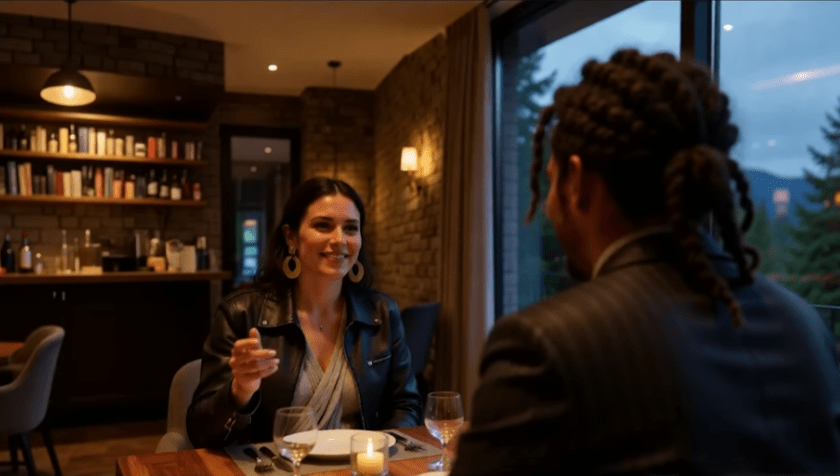
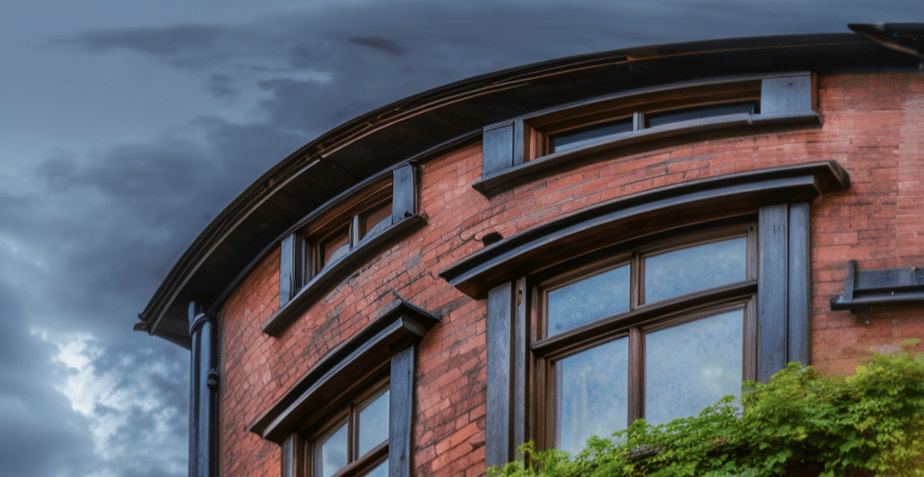
He uses Olm DragCrop to select a rectangular portion of the 360 image, but the problem is it can result in curvature in the results. For example, look at the image below snipped from the above video. If you look where the ceiling joins the walls, it’s not straight.
The reason for this is the way 360 images are represented. Consider the following scene of some English streets.
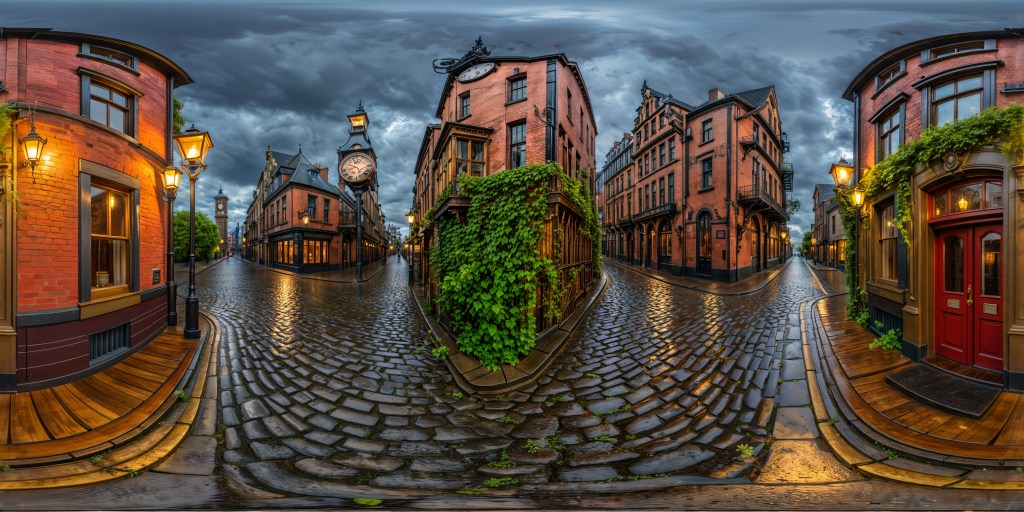
The image is painted onto a sphere, where the top and bottom edges of the image are the north and south pole of the sphere. If you look near the middle of the image (the equator of the sphere) it actually looks pretty good. The problem occurs the closer you get to either pole as an increasing amount of stretching occurs.
Here is an example of the above image projected onto a sphere with the camera pulled back outside of the sphere (normally the camera is in the middle of the sphere looking outwards). It gives a bit of a feel of how the image is projected onto a sphere.
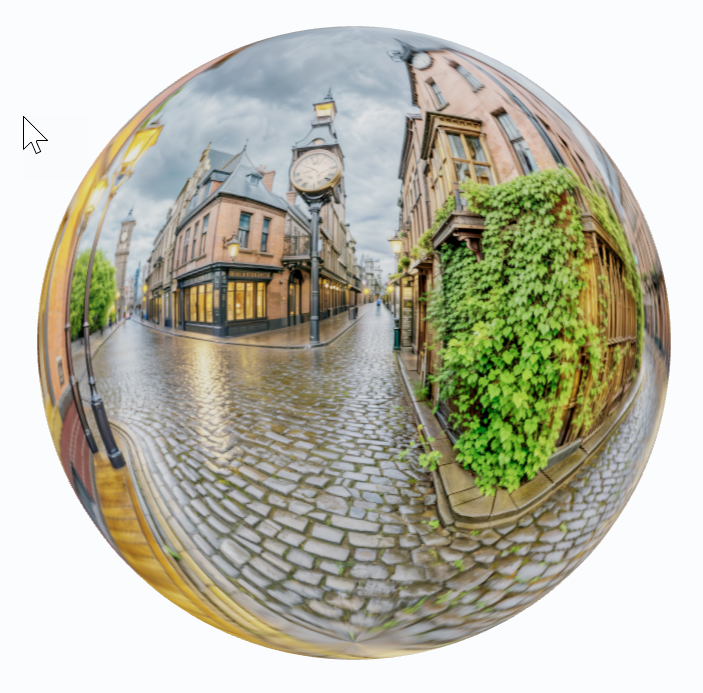
From the center of the sphere, you can look around and straight lines come out correct, even though the 360 image has some curvature.
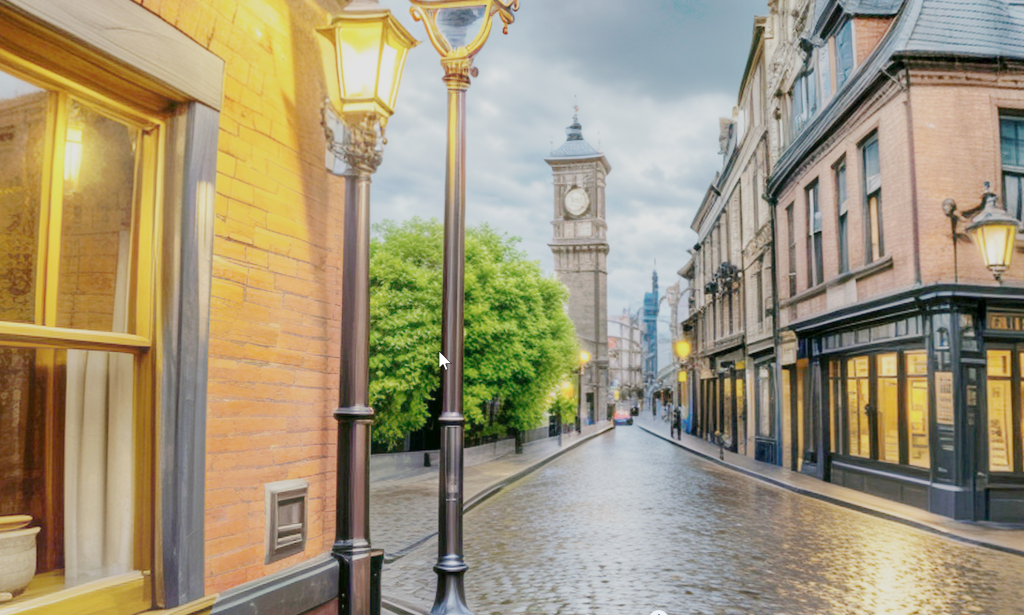
So how to clip a view such as the above from a 360 photo, without having to use a 3D rendering library? To overcome this, you need to work out the curvature based on the angle you are looking at. Instead of extracting a rectangle, the shape to extract has curved edges. For example, consider the image below. If you look at the blue outline in the middle image, you can see it is not a perfect rectangle. But the final extracted fragment (right) does come out feeling right.
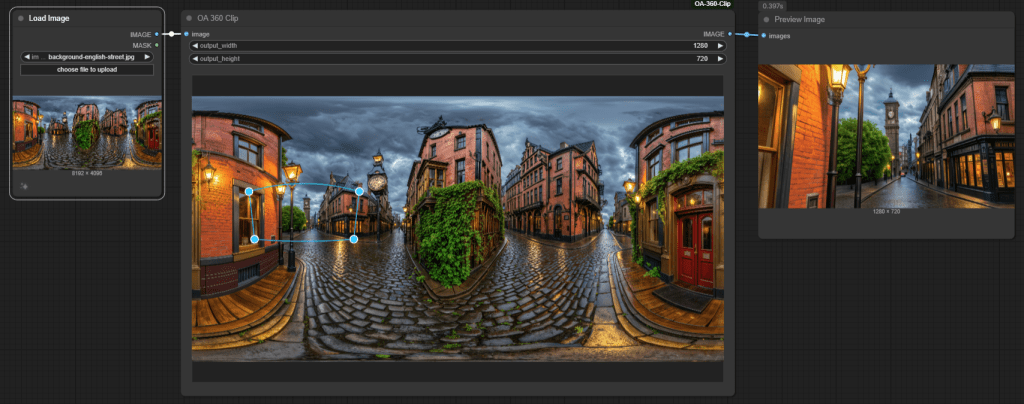
The effect is clearer up high or down low in the 360 image. If you look at the roof of the building that wraps around the left and right edges of the 360 image, the top of the roof does not look straight. See also the shape of the blue outline? It is also distorted, more so the closer the clip region is to the north or south pole. Running the cropping based on the unusual blue outline, you end up with the image on the right. Notice that the roof top is a straight line.
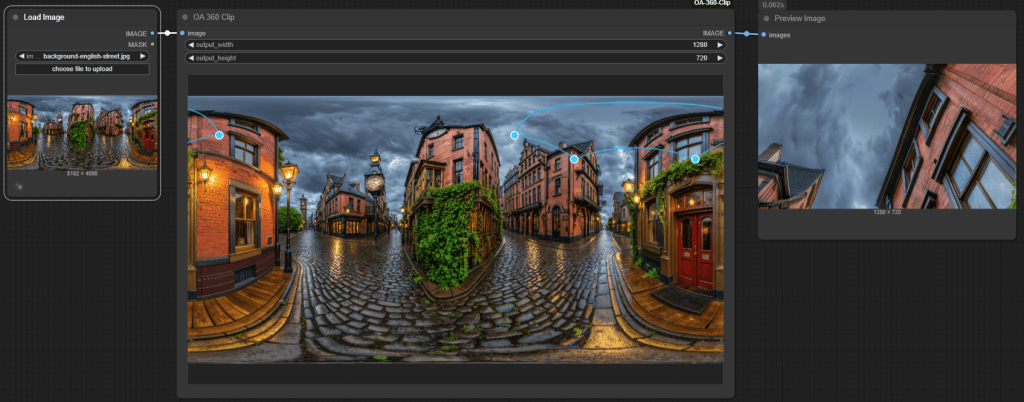
For clarity, here is a rectangular clip directly from the 360 image. You can see it does not look straight (unlike the right image is the screenshot above).
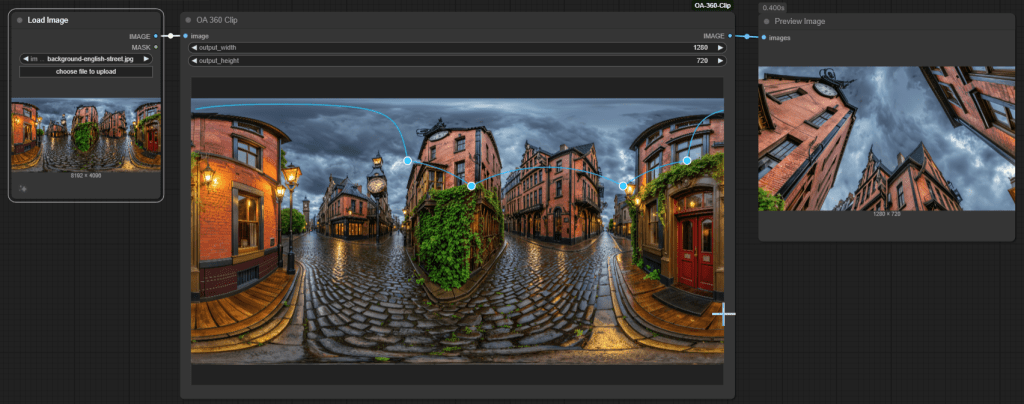
Moving the clipping region to the very top of the image, so you are effectively lookup directly upwards, the blue outline takes on a very interesting shape, but the results (right) came out pretty well.
The end result is you can use 360 images without distortion, snipping different parts of the 360 image for use in Qwen Image Edit or similar for background images behind shots.
So how to use the ComfyUI custom node?
First you install it into your ComfyUI custom_nodes directory (git clone from https://github.com/alankent/ComfyUI-OA-360-Clip).
Then add it to your workflow. In the above example I used 3 nodes wired together:
- Load Image
- OA 360 Clip
- Preview Image
Before the first run, the nodes will look like the following.
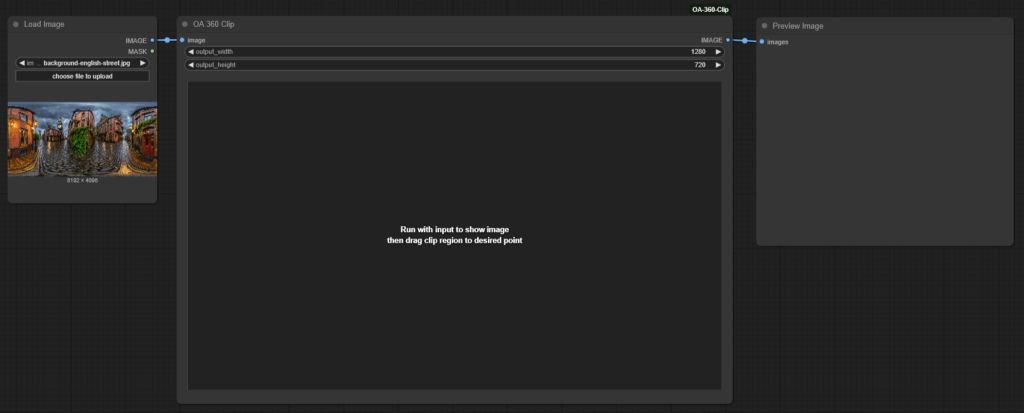
You then run the workflow once. This loads the image and makes it available for cropping in the OA 360 Clip node. It will have the default cropping region at the center of the image, but more often you start adjusting the position and size of the clipping region after the first run. The blue outline is capped to be at most 1/4 the total width of the 360 image as higher values look “strange” (distorted). Move around the outline and scale the size to get the background you want for a specific shot. Then use the background images, like the video above, to create a scene. Qwen Image Edit workflows are my favorite at the moment for merging multiple images together, such as a background and characters.
So where to get 360 images from? Mick again in his video above mentions a Qwen LoRA he trained up to generate 360 images. Normally Qwen does not do a great job creating 360 images, but using the LoRA he had a lot more success. There are also other sites around like Poly Haven (a collection of 360 images) and Skybox AI from Blockade Labs (a site to AI generate background images).
 Extra Ordinary, the Series