
I have started the journey of trying to create consistent AI videos, using open source models and tools such as ComfyUI. There are some great online services around, but I am doing this all on my new shiny desktop with an RTX 5090. I need to justify my upgrade somehow! 😉
In a previous post I explored the IPAdapter node for generating consistent images. In this post I try the Expression Editor (PHM) node from ComfyUI-AdvancedLivePortrait.
My goal is to train up a Lora model using a series of images taken from different angles. This relies on building up a set of images first, showing the character with a range of emotions and from different camera angles. It helps later generate consistent videos How to do this from a single AI generated image?
For example, is the right approach to generate an image from a background and characters together? Or is it better to have the character separate, pose and animate their face, then merge the result onto the background image later? It is not matter of one approach being “right” and the other “wrong”, it is more the different tools have strengths and weaknesses. For example, lighting may be more consistent rendering them together but take longer. Rendering just a face and applying in front of a background image may be quicker.
Expression Editor (PHM) makes it trivial to apply different expressions to a face very quickly. Load an image of your character, load an image of the facial expression, feed them into Expression Editor (PHM), and feed the output it Preview Image (or Save Image). Perfection! Check out this example!

Okay, so I did push it a little with that reference image (lol!). You can also set the sample_ratio to 0 and use individual sliders. Here is an example of smiling. I think it looks pretty good!
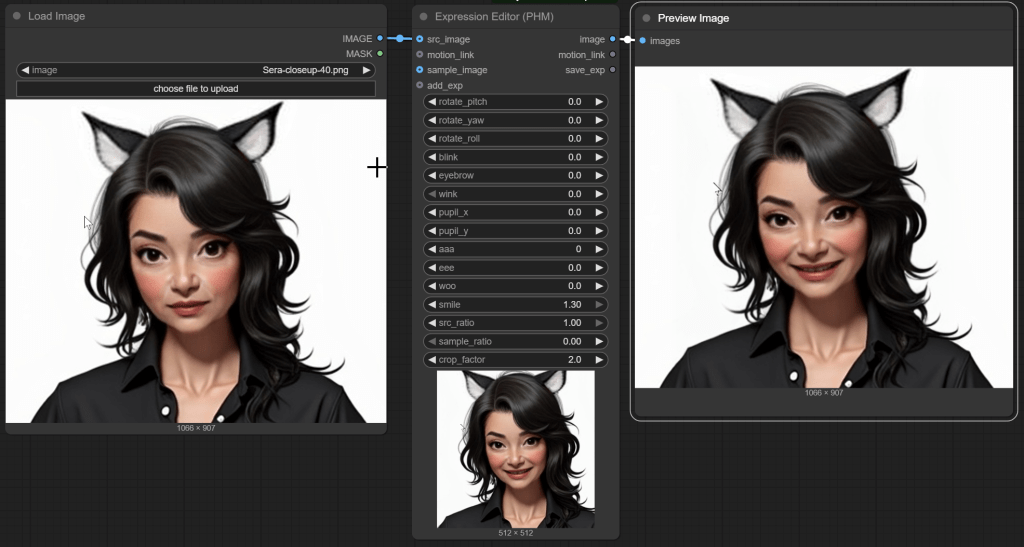
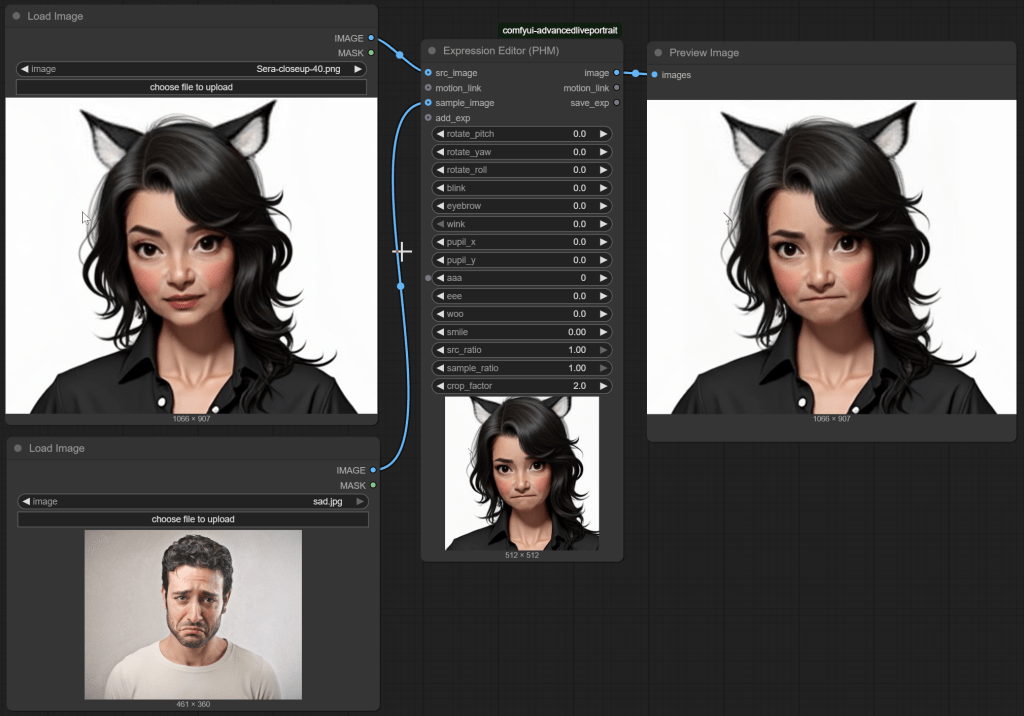
But you only have limited control. AR Kit from Apple for example defines over 50 separate blendshapes for controlling different parts of the face. Expression Editor has around 10. So sometimes using a sample image is the best way to go. For example, there is no sad face slider, so I fed in a picture of someone sad instead. Again, results I am happy with.
Combining with pitch and yaw (head angle) sometimes works, but you might notice the cat ears did not move. So good, but not perfect.
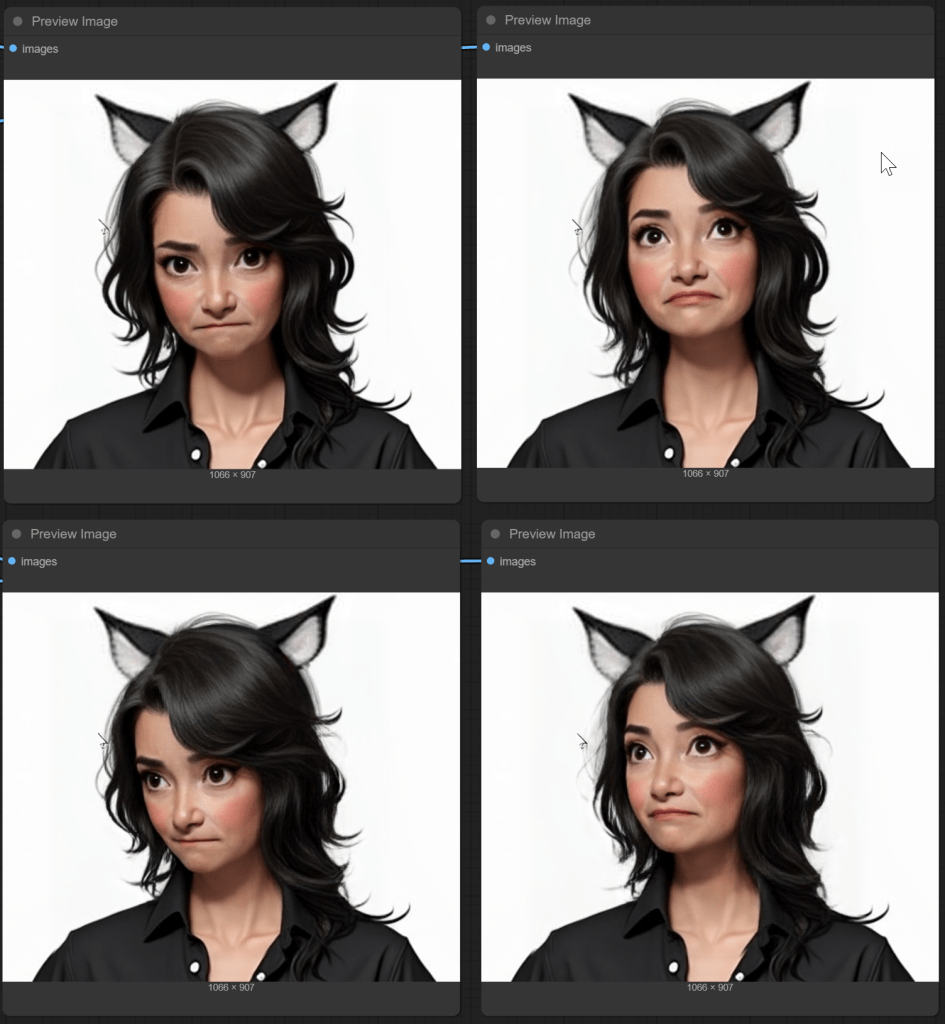
Add some head tilt (roll) and things start to go more seriously wrong in my case.
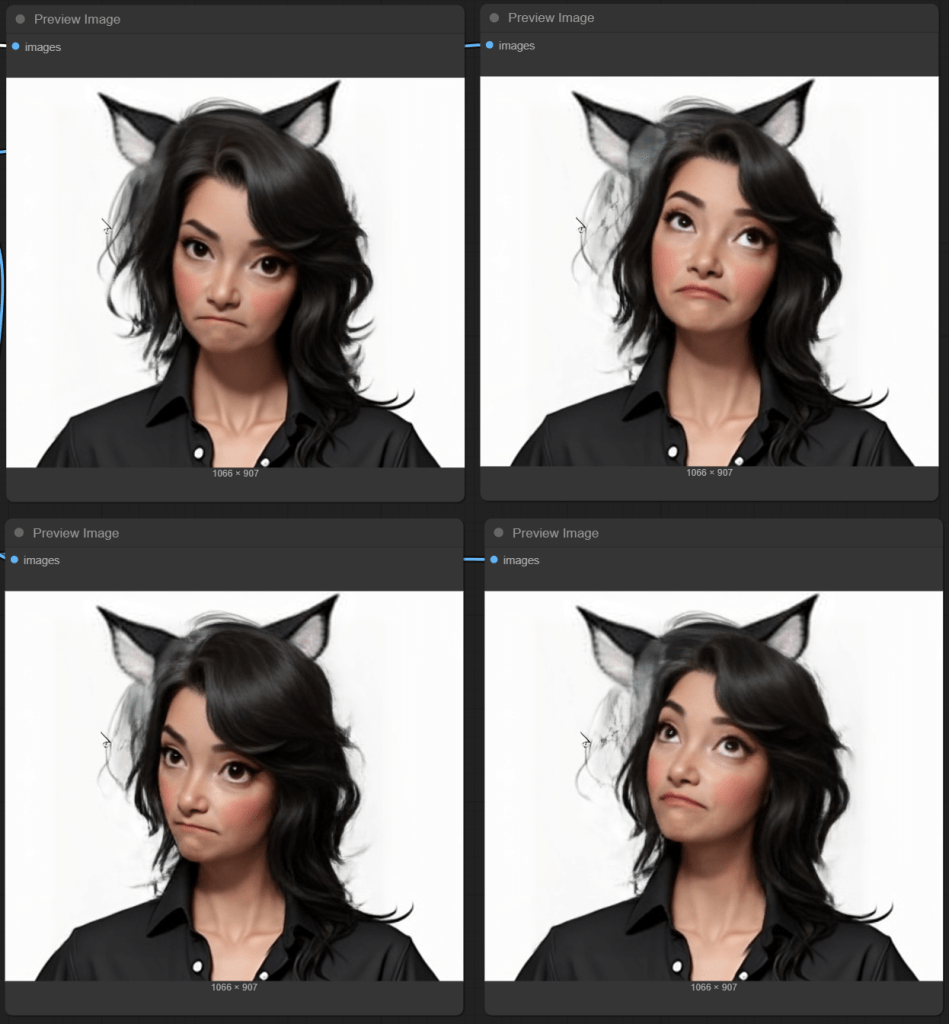
This is the reality of the various technologies. Each has their own weaknesses. Cat ears probably did not feature prominently in the training set. (Shocking, I know!)
So for me, this is definitely a useful tool as part of generating images for training a Lora model. The different facial expressions look pretty good to me! But probably not a complete solution – at least for this character, the head rotations were less successful.
My planned next step? Use the generated facial expressions as starting points for another model that does a better job of head rotations. Or just use the output for some facial expressions and not angle shots – Lora training wants a variety of images.
 Extra Ordinary, the Series