
SIGGRAPH 2023 kicked off this week and the keynote was from Jensen Huang, NVIDIA founder and CEO. I have been using NVIDIA Omniverse, so I was curious to see what news would be dropped. The following is a mix of summary of the presentation (not necessarily in the same order presented) and personal opinions and commentary.
Here is the video if you want to watch the whole presentation. Skip the first 28 mins (“we will start soon!”).
A lot of the first half of the keynote was on NVIDIA hardware to support AI. Jensen talked a lot about the connection between AI and Graphics. Not only are graphics cards an efficient way to run AI algorithms, there is a huge surge in AI and graphics at the moment with generative AI for images (Stable Diffusion, Midjourney, DALL-E, etc). Large Language Models (LLMs) are also a part of this story with the ability to refine a scene using text.
He gave an example of the Grace Hopper card, suitable for data centers. 144 CPUs + GPU with high bandwidth memory between the two. The GH200, 12 times faster, 20 times less power, these are faster rates of improvement than Moore’s law says it possible. He went on to say a phrase that the marketing team must have reminded him to say multiple times:
“The future is Accelerated Computing and the more you buy the more you save”. The point is things are now much more powerful, so upgrade your systems to take advantage of the efficiencies.
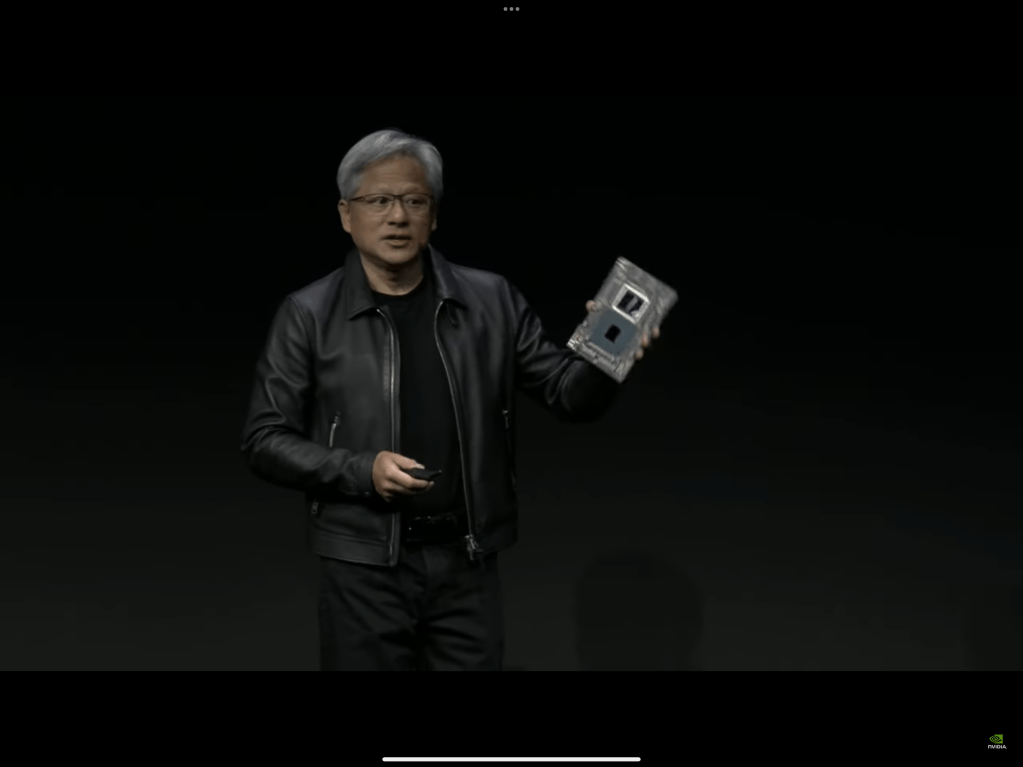
He put forward that with the advent of OpenAI and ChatGPT (and other LLMs), suddenly the new programming language is “English”. Anyone can “program” now. Just talk to it and describe what you want.
But that will change the computing needs in the cloud. Everything is going to have a chat interface. So data centers need to plan for that.
There were a few more AI related announcements, such as working with Hugging Face to make GPUs more easily available to AI researchers, and NVIDIA AI Workbench, a tool for training models that makes it easy to start on your desktop but scale to larger clusters in the cloud without having to rewrite your code.
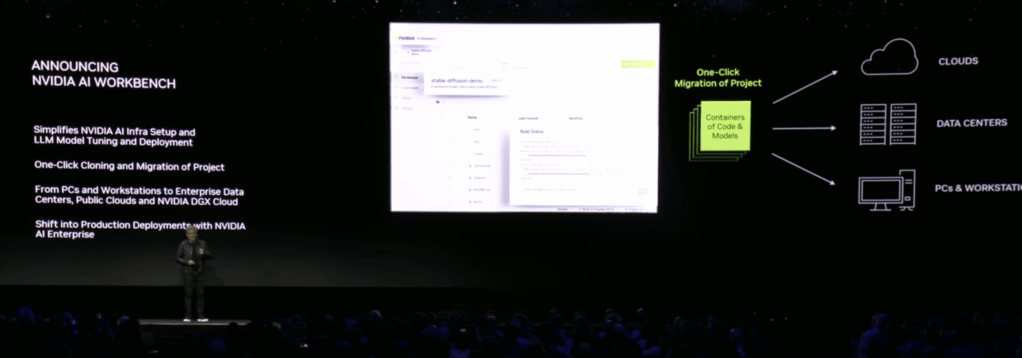
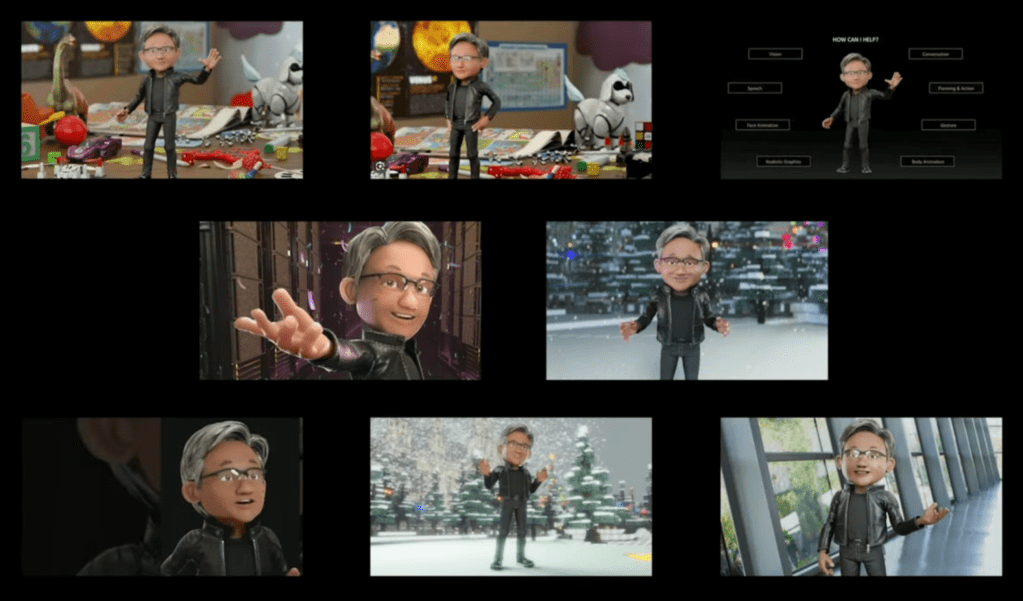
There was a nice demo of Stable Diffusion trying to generate an image of “Toy Jensen in space”, but it failed. They gave it 8 images of Toy Jensen (to fine tune the model in the workbench), and it succeed generating a better image.
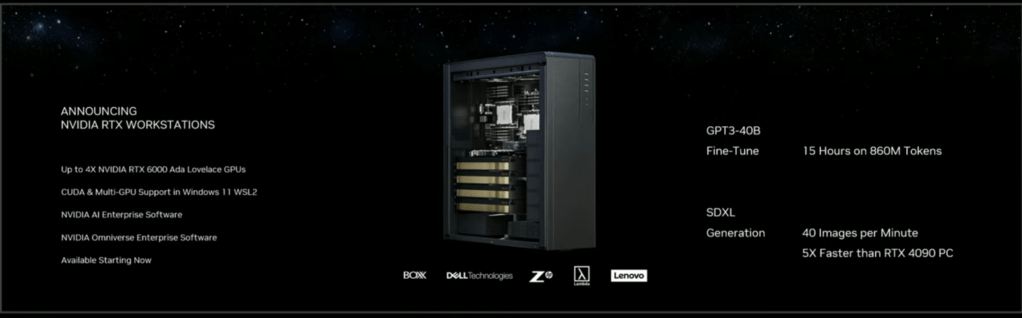
He then talked about the fact you can get your own NVIDIA Workstation with up to 4 RTX 6000 series GPUs from common manufacturers such as Dell.
One interesting project described was about WPP (an ad agency) and how they used OpenUSD (the data model open sourced by Pixar in 2015) plus NVIDIA’s Cloud GDN to deliver a car configurator. Instead of generating every possible combination of images, they deliver the 3D model of the car with variants, real time rendering the car in the configuration designed (and then making it drive through various scenery with real time rendering). Interesting to see how this goes, but I am not sure how cost effective it is yet. The project was for a luxury car, so delivering a great experience probably is cost effective. But spinning up a GPU in the cloud to create a video stream for every visitor to a web page sounds expensive.
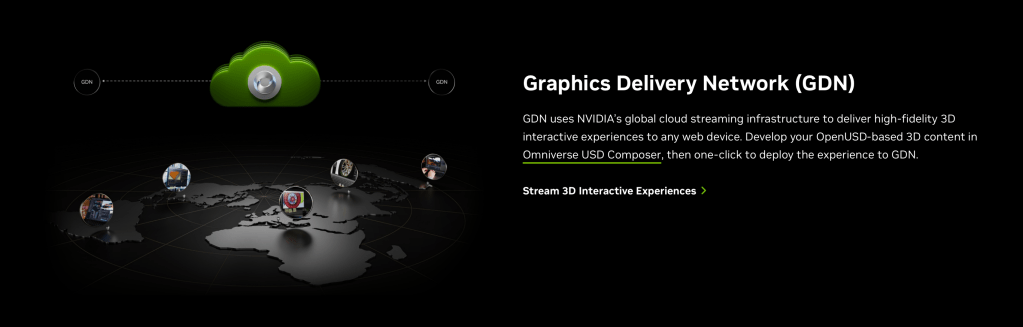
He then transitioned into more of why I listened in – NVIDIA Omniverse and graphics. Omniverse was ground up built upon OpenUSD.
Jensen expanded upon his point of English being the new “programming language”. He made the argument that AI also should understand the physical properties of the real world, not just language. This is one of the reasons why NVIDIA is doing Omniverse. For example, want to train self-driving cars on real world conditions? You can do this much more cost effectively by rendering scenes. Want to push a toddler out into the street in front of a car and see how it reacts? Let’s simulate that instead of doing it in real life! (Okay, I made that example up, but you get the point.)
Jensen also talked about the real world of factories – a trillion dollar industry. Software you can prototype and test before it goes into production. What about a factory? How do you “test” it before physically building it? It is not cheap to change later or upgrade. So why not build a factory in a 3D world, place working robots in it, have people walking around (how are the traffic flows?), and model it out before building it. Then after the building is built, train people up on how to navigate dangerous workspaces (with robots) in a 3D simulation before sending them out on the floor directly.
This brings up the whole world of “digital twins”. If you have some large equipment and sensors to bring back results, why not show a 3D model. When an alarm goes off, you immediately know where that is on the factory floor, making it faster and safe to send people to investigate. It is particularly useful for visitors to a factory – need an A/C repair man to come once a year? Show them the floor layout for safety. And why not put a sensor that sends information back to the A/C company. Let them bring up all the data on the equipment in the factory to understand what is going on.
There was a quick cool demo of starting with a floorplan (I think it was a PowerPoint slide) from which it generated a 3D model, then you could use Blender etc to create and add more assets, Adobe Substance to add nicer high quality textures, then render it out in platforms such as Omniverse or other rendering pipelines. It gave a taste of how integrating different technologies can solve specific use cases.
Further, Omniverse is hooked up with extensions that can do things like download real world models, so you can see what a large factory or building will be like in its surrounding environment.
Some history: Pixar open sourced its internal modeling technology for file management in 2015. You can build up layers of content contributing to the same scenes non-destructively, allowing teams of people to work in parallel on the same project. E.g., drop in a rough initial character model, then iteratively refine it until done during movie production. You don’t have to wait for the final character model before you start animation. By having a layered file approach, it is clear what each team of creators can change as their contribution to the project, without having to do file-level merge operations. The point was made that full pipelines are complex things.
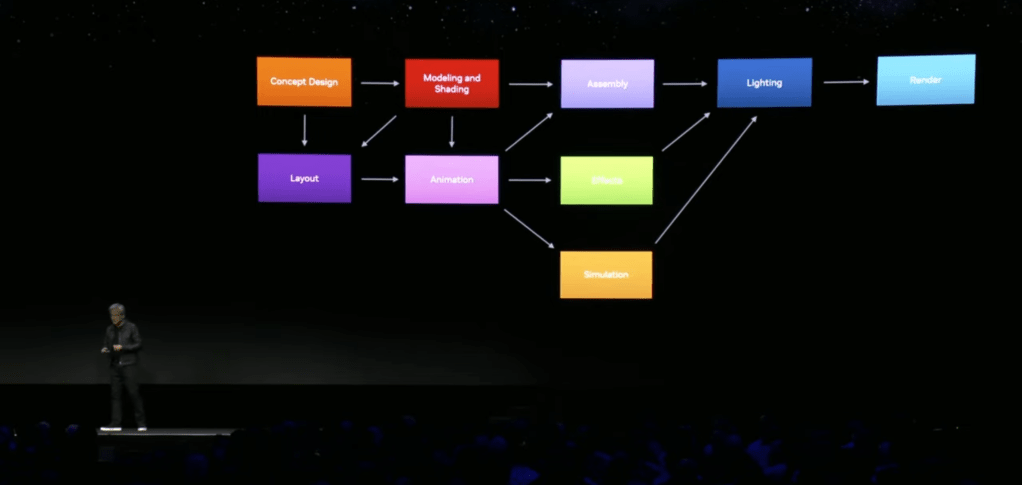
What OpenUSD brings to the table is a common modeling technology that all the tools can share. Each tool can have its own custom contributions (for example, a visual effects product will have lots of special visual effects settings that other product’s don’t understand), but they share the same core representation of the product and its models. (This is really useful in practice for larger projects.) It makes it easier to combine a wide range of tools around a shared data model.
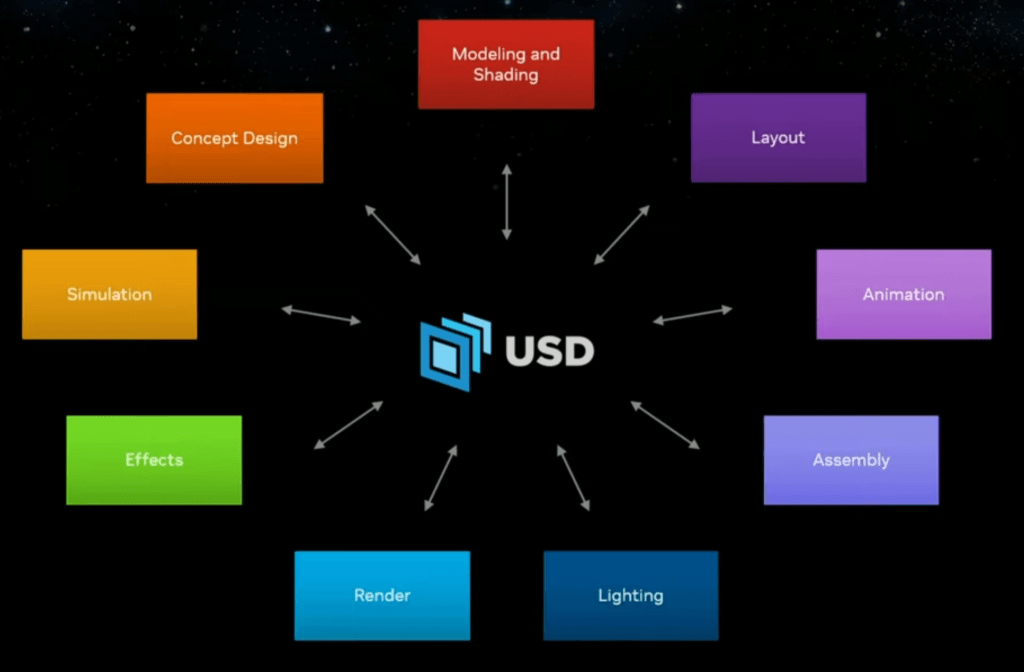
There are over 50 tools now with OpenUSD support to fit into this ecosystem. Yes, there have been file formats like FBX before, but OpenUSD has a much richer, layered, data model and is gaining acceptance as “the” format to use. (The other formats will not go away, but OpenUSD can capture everything from individual models and the meshes to full scene assembly with camera positioning, to animation sequencing, to physics simulations.
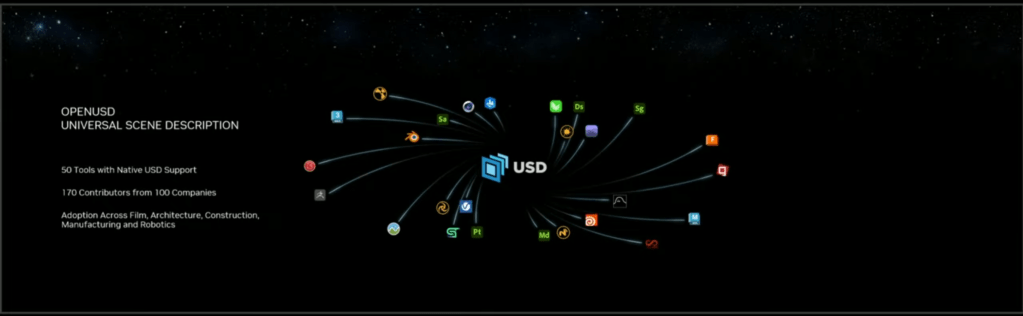
NVIDIA Omniverse was describe as “Omniverse is not a tool, it’s a connector of tools”.

Well, it is a tool in its own right, and sharing file sharing is great, but there are a few remaining things to be solved (in my humble opinion). In particular, Omniverse has Omniverse Nucleus, a cloud service for hosting OpenUSD projects. It allows a team to go in and edit the same core representation. Very cool! But this is available for Enterprise customers and is not an open standard. I think things would take off even faster if the Nucleus protocol was standardized as well and made available to all. (I would love to build tools in other languages that can hook directly into a cloud hosted Nucleus server, allowing everyone to see the same content and the same time – like collaborative editing in Google Docs.)
One fun project as NVIDIA trained “warriors” so they move more naturally. This was a separate video I came across, but it illustrates the power of combining AI with 3D modeling.
Another project teased at is RunUSD. They showed a demo with a moving character streamed(?) to devices like iPads (AR like experiences). Apple is big into this of course, and they use OpenUSD (or more precisely USDZ, a ZIP package of USD files making up models) so you can experience 3D scenes from existing devices. This could be important as Apple new Vision Pro headset becomes available. Not much information on RunUSD is available yet, but I expect more to come soon. (The web page talks about it being aligned with the new Alliance for OpenUSD, formed recently by Pixar, Adobe, Apple, Autodesk, and NVIDIA.)
[UPDATE: More on RunUSD, “a cloud API that translates OpenUSD files into fully path-traced rendered images by checking compatibility of the uploaded files against versions of OpenUSD releases, and generating renders with Omniverse Cloud.”]
Another project was ChatUSD, a LLM trained by OpenUSD code samples. I think this is going to be an Omniverse extension, allowing you to ask for it to create code for you via chat. OpenUSD has a C++ and Python API, making it quick to construct scenes via code if wanted. A use case briefly mentioned was to create scenes from text. That will be interesting to see how well it works. There are existing similar projects in Blender for example, which can be useful to speed up development workflows.
Well, that is my summary. Was there anything radical and new for the Omniverse community? RunUSD will be interesting. ChatUSD will be useful. It was hopefully clearer to many where Omniverse fits into their broader vision. But the jury is out for myself how this vision will line up with the web. Today, packages such as Three.js support formats such as glTF, FBX, and so on – not OpenUSD. There are arguments that OpenUSD is more for authoring flows, not rendering flows. Well, that may be true, but it reminds me of the generations of the web:
- Web 1.0: Publishing online (e.g., publish your own WordPress blob)
- Web 2.0: Creating online (e.g., write your WordPress blog in the browser)
- Web 3.0: Value exchange (e.g., have good models for rewarding creators of content on the web)
I don’t think OpenUSD will stay restricted to authoring flows. I think it will make sense for web browsers to have good solutions for rendering OpenUSD scenes, as it covers more complex projects. glTF is only for individual models.
 Extra Ordinary, the Series